
If you thought tablets were for watching TV and catching up on work, and drawing tablets were just for kids, think again. Drawing tablets are most definitely for adults. They can be fun and used for a hobby and some down time, or, if you’re a professional artist or illustrator, they’re a vital tool for digital art. Drawing tablets are also a natty new way to make notes, write shopping lists with a doodle or two, and keep track of your to-do list.
What is a drawing tablet?
Drawing tablets have come a long way since kids made blob shapes on their iPads. iPads do still make a good drawing tablet, but these days the choice reaches much higher and professional artists and illustrators can’t do their job without them. It’s basically a screen with a pen, but it’s so much more than that. It’s a digital pad and pencil that allows you to create art. You can hand draw images just like you would on paper, and you can create graphics and animations.
Some drawing tablets are sleek and fit somewhere in size between your mobile phone and your laptop. These are portable tablets, making it easy for you to doodle and draw anywhere you like. The pen to touch screen function can be as intuitive as using pen or pencil on paper, meaning you can work on the train and in waiting rooms, on holiday, or wherever you happen to be. At the other end of the scale are the tablets as big as your TV. Though these tablets most definitely are not portable, they give you volume and a more immersive artistic experience.
What kind of drawing tablet is the right one? Simply put, the drawing tablet for you depends on why you want it and what you’ll be using it for. Professional artists will know that having both types of tablets in your arsenal gives you greater freedom to work, but if you’re just dabbling the portable one is most likely for you.
We’ve rounded up the best options below to help make shopping for them easier.
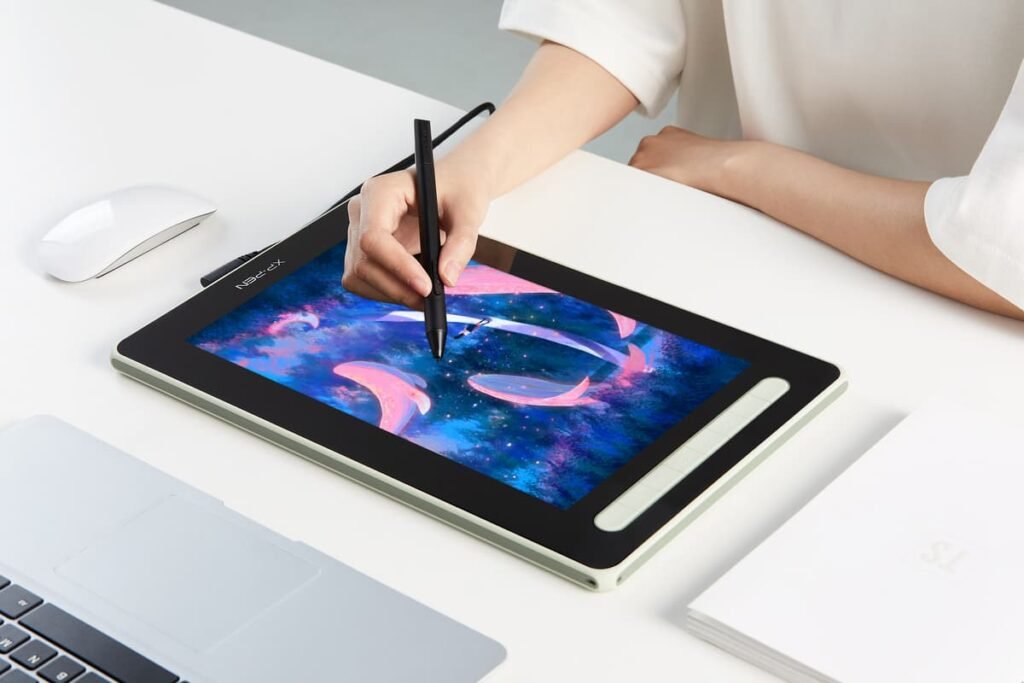
Although I really liked the sturdiness and the character of the XP-Pen Artist 12 and it comes in at a great price, for me the Microsoft Surface Pro just pipped it to the post. It’s a good middle range price, but it has everything you want from a drawing tablet and more. It’s very responsive to touch and the Surface Pen is lovely to use, both in terms of holding and gripping, and in its use on the screen. It feels seamless and it gives a great user experience.
Non-Microsoft users might favour the XP-Pen, but if you’re a Windows fan the Microsoft Surface Pro has it all. Plus, you can make notes, connect to the internet, play games, and watch movies, all on the same device while you take a break from sketching.